


 Paul Mah has previously written about the use of social media and how it can affect the bottom line for SMBs. As he outlined in “Propel Your SMB Forward Using Social Media,” the rewards are real, though it certainly involves more work than setting up an account and then hoping that people will automatically follow you.
In the two years since he wrote that post, social media has gained even more prominence among consumers. Businesses, too, have hopped onto the bandwagon. Today, many companies have Facebook and Twitter accounts that are active and manned by savvy staffers familiar with the speedy and personal responses that customers expect.
And the strategy is working well, judging by the increasing customer interaction and participation that he’s personally seeing directed towards the social media accounts of various corporations. The ease of sending along a tweet or Facebook message means that customers are sending along more suggestions, questions and complaints through the various social media channels than ever before.
As the volume continues to rise, however, businesses may find themselves overwhelmed by the volume of interaction. Clearly, proper tools are needed to facilitate tasks such as properly delegating the conversations for handling by different team members, as well as ensuring that requests are properly queued to be addressed by employees in the customer service department.
On this front, Ashley Furness, an analyst from Software Advice, sent Paul a list of five suggested social monitoring tools that she put together for readers of SMB Tech. According to Furness, these tools will help turn social media “listening” into concrete customer service “action.” Her suggestions are reproduced in their entirety in this slideshow.
Click through for five tools that can help automate and improve your social media customer service response, as identified by Ashley Furness, an analyst from Software Advice.
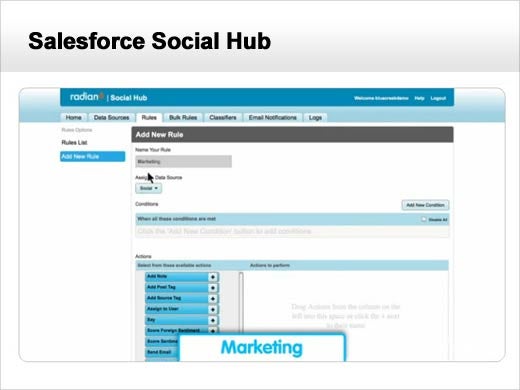
Salesforce.com launched The Social Hub last year after acquiring social monitoring platform Radian6. The system uses customized keyword identifiers to extract customer service requests from more than 150 million social networks, blogs, forums and other sources. It scans for messages that combine #CompanyName, @CompanyName and brand mentions with customer service-related triggers. This includes generic words like “help” or “need assistance,” or specific phrases like “My cable is out.”
These requests are then automatically prioritized according to content and the customer’s purchase history and social activity level. A clothing company might, for example, place higher value on a key social media influencer or brand advocate who recently purchased $1,000 in merchandise, and bump his help request to the top of the queue.
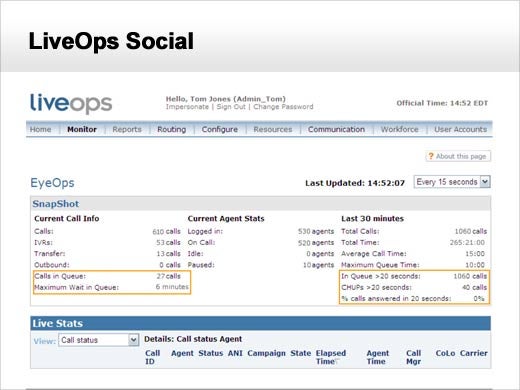
LiveOps Social is cloud-based contact center software that processes social service requests exactly like tickets submitted through voice, email or the Web. It searches for requests by Twitter hashtag or keyword, or by designated Twitter and Facebook accounts. Once LiveOps identifies a request, it creates a ticket that shows up in the service queue along with requests from other channels.
The work item is synchronized with other relevant customer data to prioritize the request, including service and social history. When an agent views the next work item routed to them they can see the overall context to understand a customer’s contact experience.
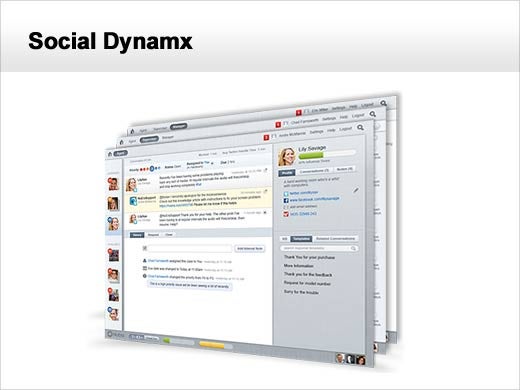
Social Dynamx uses role-based interfaces to automate social message routing. The system considers agent expertise, work group, current caseload, average time to respond, and service satisfaction rate.
Users can easily change or add expertise as needed. Imagine if a company were suddenly flooded with tweets about a defect in a certain product. The customer service team could create a new work group and tag corresponding agents as the sole recipients for tweets related to that issue.
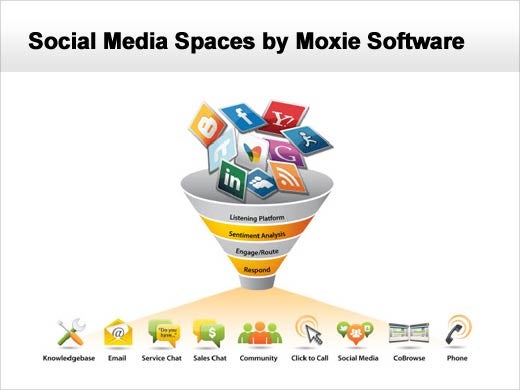
Many companies only respond to the angriest customer complaints posted on Twitter. This is a bad move, according to Moxie Software Marketing Vice President Tara Sporrer.
Social Media Spaces allows supervisors to analyze social response data so they can constantly tweak prioritization and routing rules. The dashboard uses metrics such as social customer satisfaction, first contact resolution and ticket rerouting rates.
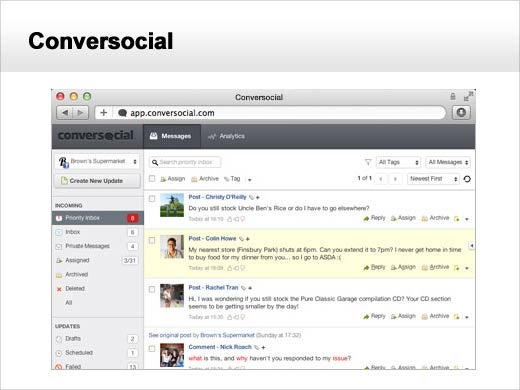
This social media monitoring tool uses a sophisticated Priority Response Engine to intelligently decide whether a social media complaint requires a response. Officials said this saves agents time because “not every tweet warrants a ticket.”
The engine uses Natural Language Processing, social interaction analysis and custom prioritization to process social customer service complaints. If the engine identifies a message as critical it might be automatically routed to a priority inbox for important messages. If the receiving agent is unavailable, they can create a task for another agent. Or, if the ticket isn’t responded to in a certain amount of time, the system can be programmed to automatically re-route the issue.