


In small closets, hallways and desktops in almost every office, you will find them: machines that replicate data. Copy machines, printers, scanners, fax machines and the like are used every day without a second thought. They’ve been a necessary part of business for decades, and though many offices have moved toward working paperless, it seems we will never see their final days. And no one seems to worry about them unless they break down.
But, these innocuous business machines could pose a risk to the organization if their security is never considered. Most of them are connected to our networks. Others provide multiple functionalities and may even connect to the Internet. Even scanners contain internal storage where company data may reside.
It’s up to each company’s IT organization to understand the risks of each such device within the office and properly manage the potential security issues posed. Since these devices once began as machines without internal memory and many couldn’t be networked, a lot of IT staff overlooks the possible threats and vulnerabilities that the newer, more advanced replication devices possess.
To help IT organizations better understand the scope of risk associated with internal replication devices, the National Institute of Standards and Technology (NIST) has created a publication called “Risk Management for Replication Devices,” which can be downloaded for free from our IT Downloads section.
According to the document, replication devices are often vulnerable to a variety of threats including interception of data, password breaches and unpatched OSes and firmware. Also, within many devices lie storage media where confidential company data may be saved, which is dangerous on many levels:
Many [replication devices] use nonvolatile storage media to manage jobs and control the device. Potentially all of the information that was ever processed, stored, or transmitted by the device could remain in the nonvolatile storage indefinitely. Nonvolatile storage media for RDs is most often in the form of a hard disk drive or solid state drive.1 Some RDs may also provide for use of removable solid state memory cards or flash drives. Information stored within a RD may leave organizational information vulnerable to numerous exploits and compromises of confidentiality or integrity.
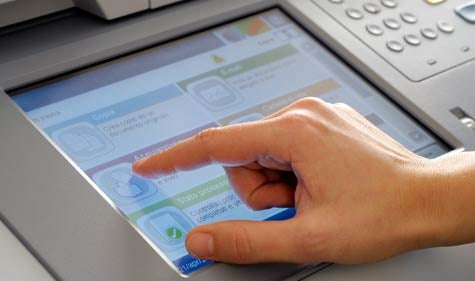
The document goes on to explain risk management activities that IT organizations should perform to identify possible security risks. It also details security functions that IT can perform to further mitigate these risks. The authors also explain practices that should be considered in order to configure and implement the proper security controls for each replication device on site.
CIOs, IT managers and anyone in IT who is responsible for overseeing printers, scanners or fax machines should read through this publication and make note of how their organization can increase its security controls for all replication devices. It’s better to create a plan and lessen the risk factors now than be sorry after a security breach occurs.
Kim Mays has been editing and writing about IT since 1999. She currently tackles the topics of small to midsize business technology and introducing new tools for IT. Follow Kim on Google+ or Twitter.