

10 Features that Will Make You Love Windows 10

With both Microsoft and Apple making significant moves on the operating system front, it really was only a matter of time before Parallels updated its desktop virtualization software that enables Windows to run on Macintosh systems.
Released today, Parallels Desktop 11 for Mac adds support for both Windows 10 and a forthcoming update to MacOS known as OS X El Capitan. In addition, Nick Dobrovolskiy, vice president of desktop virtualization at Parallels, says this latest version is 50 percent faster and provides support for Travel Mode, which extends battery life up to 25 percent while out and about.
In addition, Dobrovolskiy notes that for the first time, Parallels is including support for Microsoft software that goes beyond the core operating system. Parallels Desktop 11 for Mac can also run Cortana, the personal assistant software developed by Microsoft. In contrast, Apple Siri software at the moment runs only on Apple iOS devices.
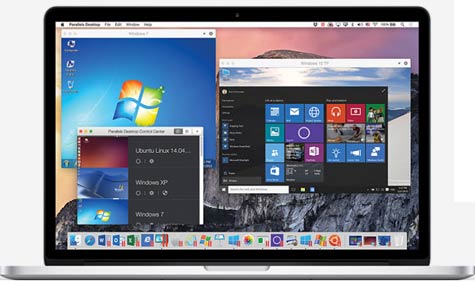
Parallels Desktop for Mac software allows users to easily switch back and forth between Windows and Macintosh applications. With this release, Parallels is also improving its deployment from a licensing perspective. There are two editions primarily aimed at corporate customers. Parallels Desktop 11 for Mac Pro Edition supports integration with developer tools such as Docker, Visual Studio (plug-in), Chef and Jenkins, Vagrant, Guest OS debugging and network simulation. It also enables use of “nested virtualization for both Windows and Linux guests.” Parallels Desktop 11 for Mac Business Edition, previously known as the Enterprise Edition of Parallels Desktop, includes all of the features of the Pro Edition along with tools for simplifying IT administration.
Given the attachment many end users still have for their favorite desktop operating systems, it’s unlikely that any upgrade will convince all users to switch their personal preferences. As such, the best most IT organizations can hope to achieve is some level of peaceful coexistence that minimizes the different types of physical machines they have to support.