


Apple's iPhone continues to grow in popularity with consumers and has made great inroads into the enterprise. With such a diverse app set, it’s no wonder. We’ve combed through the many offerings available, and pulled together a list of 10 apps that can improve productivity and help you stay on track. All apps are available for download in the iTunes App Store. Just type the app name in the search bar, and you’re ready to go.
Click through for 10 notable iPhone apps.
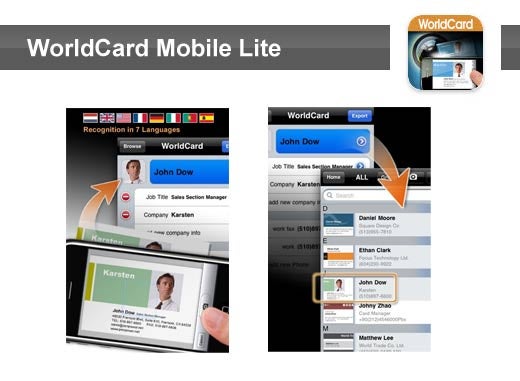
WorldCard Mobile uses OCR (Optical Character Recognition) technology to instantly transfer information from business cards to the user’s native contacts. With a simple click of the camera, you no longer have to manually input contact info from business cards or email signatures.
Compatible with iPhone, iPod touch, iPad. Requires iOS 3.1 or later.
Cost: Free
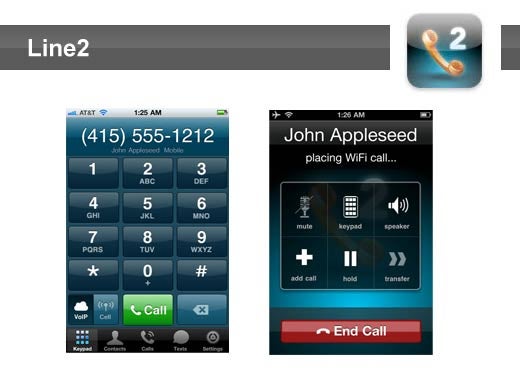
Line2’s tri-mode calling technology allows you to call and text over Wi-Fi, 3G data or cellular voice networks using the same number. Make calls over Wi-Fi at home and over cellular when on the road. Line2 has office phone features like call waiting, conferencing, call transfer, and caller ID, plus voicemail by email and call screening options. Additional features are available if you upgrade your plan.
Compatible with iPhone, iPod touch, iPad. Requires iOS 3.1.2 or later.
Cost: Free
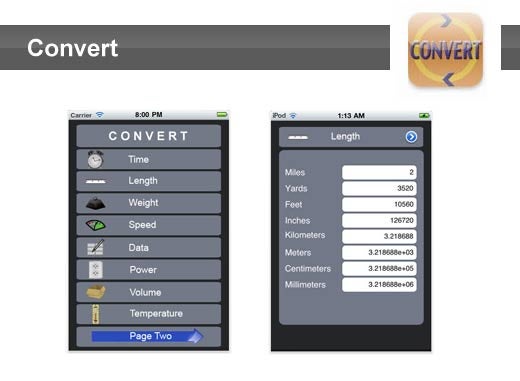
Convert allows you to quickly convert one unit to another (time, temperature, length, weight, speed, volume, etc.). It also includes a tip calculator that allows you to determine the exact tip and gives you options to split the bill.
Compatible with iPhone, iPod touch, iPad. Requires iOS 4.1 or later.
Cost: Free
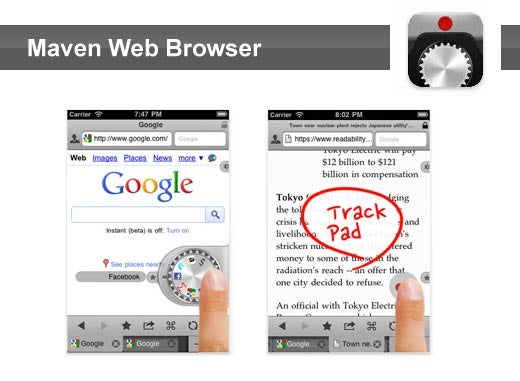
Maven is a Web browser that supports extended features including save password, dual screen, user agent, Desktop-like track-pad support, bookmark jog-dial reader and unlimited tabs. Additional features allow you to bookmark pages, set a default page, save images, share HTML and adjust font size.
Compatible with iPhone, iPod touch, iPad. Requires iOS 4.1 or later.
Cost: $0.99
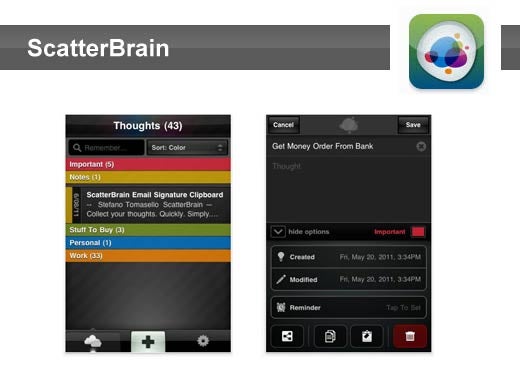
ScatterBrain is a note taking app designed to let you capture thoughts and ideas quickly when they happen. It’s simple enough to start using immediately, but versatile enough to keep track of all your thoughts. The app is fully function and ad-free. Features include ScatterSync online backup and restore, reminders, color groups, email/SMS text sharing, and multiple sort options.
Compatible with iPhone, iPod touch, iPad. Requires iOS 4.0 or later.
Cost: Free
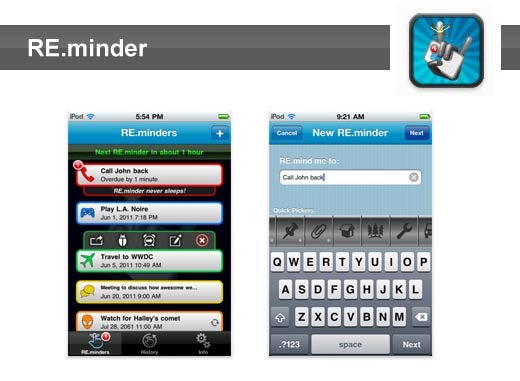
Is your To-do list full of To-didn’ts? To-do lists are great, and they can be useful to get organized, but sometimes, it’s not about organization. Sometimes, it’s about getting something done on time. Set a RE.minder with as few as three taps and let the magic of iOS 4’s local notifications make sure you get the nudge you need, right when you need it.
Compatible with iPhone, iPod touch, iPad. Requires iOS 4.0 or later.
Cost: Free
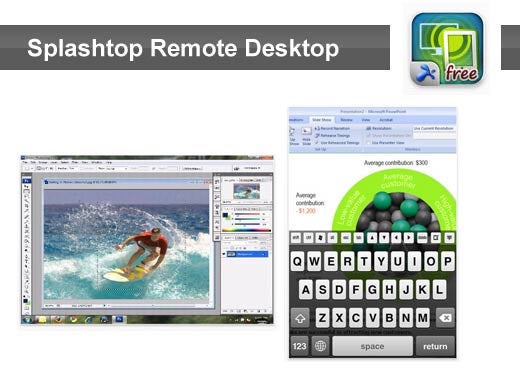
Splashtop Remote Desktop allows you to stream smooth, high-res video and audio from your PC or Mac. You can also interact with your PowerPoint, Word, Excel, Outlook, Quicken or any other app on your desktop. Access your PC programs, games, multimedia content, and other files over Wi-Fi and 3G/4G networks. The free version supports connections up to five minutes long. For extended sessions, check out the full version.
Compatible with iPhone, iPod touch, iPad. Requires iOS 3.2 or later.
Cost: Free
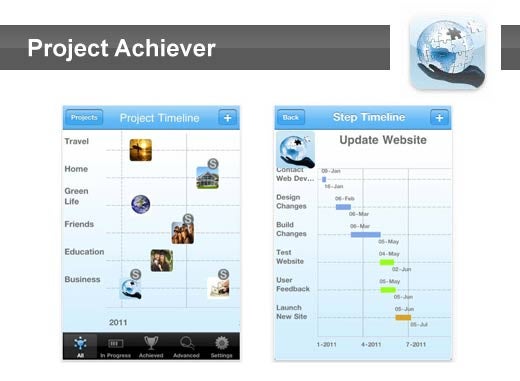
Use Project Achiever to keep track of projects on your iPhone, iPod or iPad instead of in your head or on a jumble of paper. Anywhere, anytime, update a project status or remind yourself of what steps need to be taken to successfully complete a project. Features include project timelines, status updates, and detailed recording of project information.
Compatible with iPhone, iPod touch, iPad. Requires iOS 4.0 or later.
Cost: $3.99
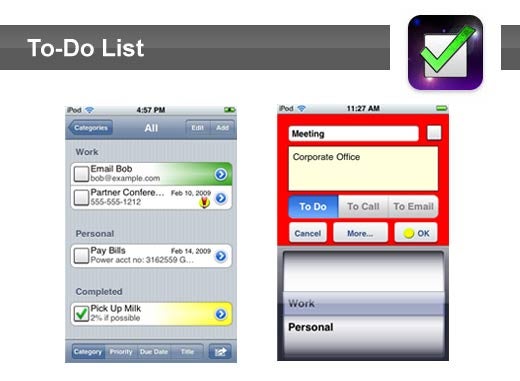
To-Do List helps you keep track of all your lists for work and home. Tasks can easily be added, categorized, edited, removed and sorted.
Compatible with iPhone, iPod touch, iPad. Requires iOS 3.0 or later.
Cost: $0.99
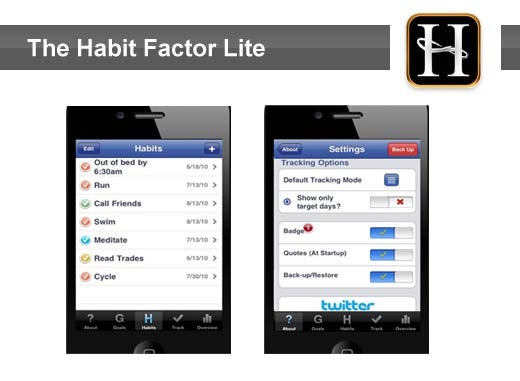
The Habit Factor Lite helps you establish, track and align your habits with your desired goals to improve your character and enable more precise achievement.
Compatible with iPhone, iPod touch, iPad. Requires iOS 3.0 or later.
Cost: Free