


Yahoo! made headlines early in FY13 as a result of CEO Marissa Mayer’s decision to eliminate the employee “work from home” option. Mayer’s decision brought to light the ever-changing narrative of the IT industry, as a worldwide debate ensued on work-life balance.
Regardless of where an individual or corporation falls on the “work from home” spectrum, one thing is certain: The BYOD generation has enabled out-of-office employees to access many of the same privileges cube-dwelling employees enjoy. Erin Everett, South-central region marketing specialist for Alexander Open Systems (AOS), a leading consultative technology partner, has identified several tips and technologies to ensure that workers of the future can continue to meet the growing demand for innovation.

Click through for tips and technologies that can help ensure remote workers are as productive as their cube-dwelling colleagues, as identified by Erin Everett, South-central region marketing specialist for Alexander Open Systems (AOS).

Collaborating with co-workers is one of the most essential on-the-job functions — regardless of location. Microsoft Lync is an enterprise-ready, integrated VoIP instant messaging application that coordinates the inevitable variation of work schedules. Benefits of the application include the ability to group chat, the option of screen and/or control sharing within a chat window, and Skype connectivity. Lync accounts can also be synched with Exchange for a multitude of uses, including automatic status updates (Presence) based on calendar appointments, conversation archive and instant access to a user’s contact information via an Exchange Active Directory Contact Card. Another popular instant messaging application is Cisco Jabber, a free add-on for any company operating a Cisco Unified Communications Manager (CallManager) — more on that to come.

Meetings need not be limited to the conference rooms of old. With Cisco WebEx Meeting Server, users can schedule both internal and external meetings via a persistent link, accessed through single sign-on at the scheduled meeting time. WebEx allows for audio, video and screen-sharing components for a single “behind the firewall” conferencing solution. Ideal for educational components such as training or webinars, WebEx allows for ease-of-access, as it is available in a mobile app for smartphones and tablets, both Mac OS and Android, and can be tied to third-party endpoints. WebEx can be utilized for individual and recurring meetings, and is available for both free Basic and Premium accounts.

Perhaps the greatest challenge of working from home is to be productive. The new Cisco WebEx Productivity Tools, which can synch with Outlook-based email, Mac OS, Microsoft Office, instant messaging and more, can reserve multiple video bridges and/or WebEx meetings and create meeting passwords with one click. For non-Outlook-based email, a Web-based client is also available. The “One-Click Meeting” button instantly launches a meeting and, when used with an instant messaging application, includes audio and video integration. A landing page can also be customized to meet a business’s unique needs. Spend less time remembering passwords, and more time working with this unique new product from Cisco.

Whether individual or recurring, meetings span an entire process of agenda setting, execution and follow-up action. For the resulting document library of itineraries, notes and recordings, Microsoft SharePoint offers the “shelf space.” Whether as a standalone or in conjunction with Office 365, SharePoint creates a single space for internal users to upload, edit and share their work. Browser support makes finding and viewing documents on team sites easier for users on computers, mobile devices and tablets alike. For collaboration with external users, Dropbox is a file-sharing application that allows for content distribution with user-customized access, and can be downloaded for free at Dropbox.com.
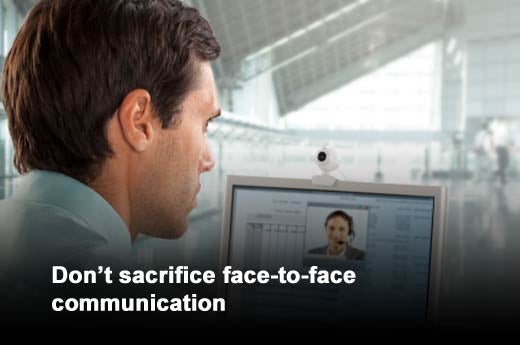
Social applications such as Apple’s FaceTime and Skype generally lack the professionalism necessary for communicating with co-workers and customers. For this, the Cisco Unified Communications Manager (CallManager) fits the bill. A UCM can be configured to a Unified Phone to include integration with an internal Active Directory for quick contact lookup, multi-user conference calling and video stream via a ¼” CCD with manual focus and automatic white balance. As soon as a call is received, video begins projecting on the phone’s main screen. The screen will be occupied by the active communicator, with voice-activated switching. Other features can include direct voicemail access, speakerphone and mute buttons and a dedicated headset port.

For those who alternate between working in a traditional office environment and working from home, also called the “hybrid worker,” Cisco OfficeExtend is essential for at-home use of the Unified Phone. An access point to the company network, when plugged into a traditional router, provides a secure tunnel back to the network for remote access to corporate voicemail, Active Directory and more. Providing dual-band radio frequency, the access point ensures corporate communications do not hinder or delay personal communications, via a home line or household network.

Cisco WebEx Telepresence offers high-quality audio and video for best-in-class simulation of the “in-person” meeting experience. With up to 1080p HD resolution available, this system can stream live video of multiple occupants. Video can be streamed between endpoints or, paired with Cisco Jabber Video for Telepresence, WebEx Telepresence provides video and voice integration with instant messaging. Unlike Lync, Jabber has the ability to connect to Unified Phones to make quick calls. Whether cloud hosted or on-premise, Jabber Video is ideal for enabling multi-user groups to use their preferred method or device.