

Thirteen Exciting Security Startups to Watch

One of the more frustrating aspects of Web security is that there are container technologies that will secure browsers, but most of them require a lot of weight in terms of processing requirements for a fairly new system to run them or they impose a unique browser experience that winds up leaving the end user a little flummoxed.
Promising to circumvent both those issues, Quarri Technologies this week launched Armored Browser, a container for browsers that only fires up when an endpoint tries to access a Web site that is outside the scope of approved places to visit, as defined by the IT organization.
Rather than preventing end users from visiting those sites, Armored Browser creates a secure container on demand that prevents malware that might be on that site from infecting the corporate endpoint. At the same time, Armored Browser can also prevent end users from uploading files or copying data from their system into that Web site.
According to Jeff Davis, vice president of engineering for Quarri, Armored Browser comes in the form of a 1.5 MB download that will fire up automatically when, for example, an end user wants to visit Facebook. Davis says it takes about 10 seconds to download Armored Browser the first time it’s invoked. But for as long as that PC remains active, Armored Browser will automatically fire up after that in a couple of seconds.
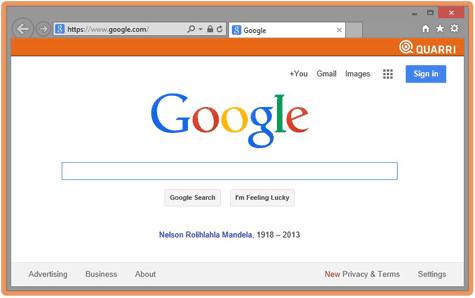
From a usability perspective, Armored Browser layers in on top of Internet Explorer so it doesn’t present users with a completely different user interface experience.
A lot of options are available these days when it comes to browser security. But despite all the threats on the Web, the number of organizations running a secure browser is still relatively minimal, which would suggest that most IT organizations are still looking for a more sophisticated way to solve the problem beyond simply shutting down access at the network level to certain Web sites for the entire organization.
Not only do such heavy-handed approaches generally serve to disenfranchise end users, those users generally wind up using their own systems to go around the policy. As most IT organizations already know, all that does is create an unmanageable compliance and security headache that would be better avoided by providing a more controlled browser experience that doesn’t try to dictate who can visit what on the Web unless, of course, it’s in direct violation of a human resources policy.