While the amount of time you interact with the Web browser might differ depending on individual job responsibilities, Paul Mah thinks it would be fair to say that many of us spend hours a day on the Web in the course of our work or personal interests. As you can imagine, the presence (or absence) of quality plug-ins or browser extensions can enhance or impede our productivity.
Paul made the switch from Mozilla Firefox to Google Chrome earlier this year due to performance degradation that he found taxing to his productivity. With extensions now supported in the stable release of Chrome, he thought it would be fun to take a look at some of the most useful extensions. These are his favorite Google Chrome extensions.
Click through for five of Paul Mah's favorite Google Chrome extensions.
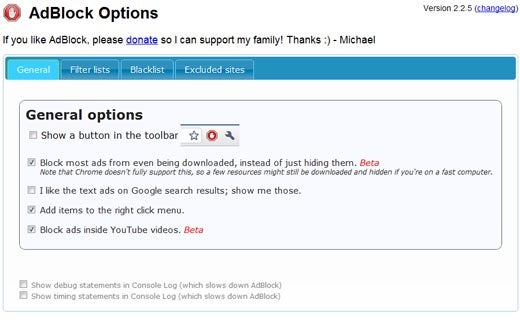
Don't like ads? Well, the highly popular AdBlock that started with Firefox is also available for the Chrome browser to easily block online ads. Users have a number of pre-compiled filters that they can apply. It allows you to add custom URLs to block, while a whitelist ensures that you can continue to support sites you like. In addition, the latest version attempts to block most ads from being downloaded to hopefully speed up your browsing experience.
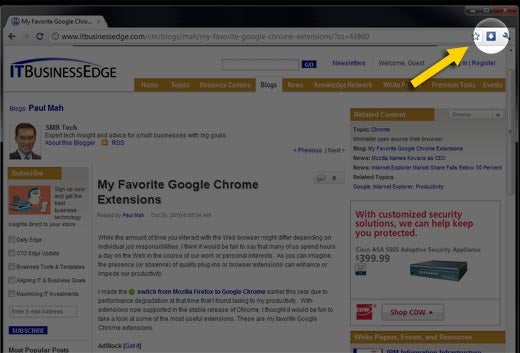
This simple extension basically places a button on the toolbar that opens the download window for those who just like clicking. Of course, you can always access the same window via the appropriate context menu, or by the local CTRL-J hotkey when the browser is in focus.
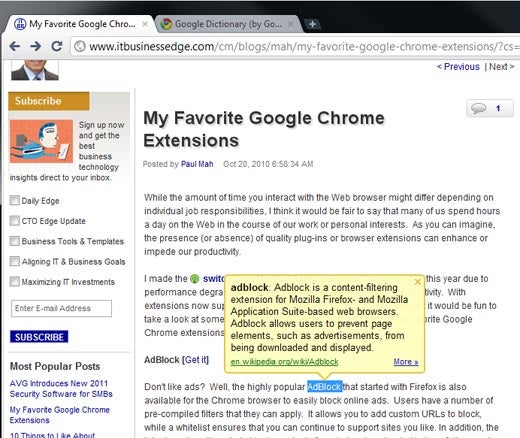
Paul reads a lot, and he admits that he’s thoroughly spoiled by the Kindle App on his iPhone, which returns the definition of words when he highlights them. It's pretty simple to double-click, press CTRL-C, CTRL-P, place the cursor into a Google search bar, hit the ENTER key, and then another click of the mouse from there to read the generated definition. This takes just three to five seconds on average. But given the choice to get the definition of a word by, well, simply double-clicking on the word, why not just install this nifty extension?
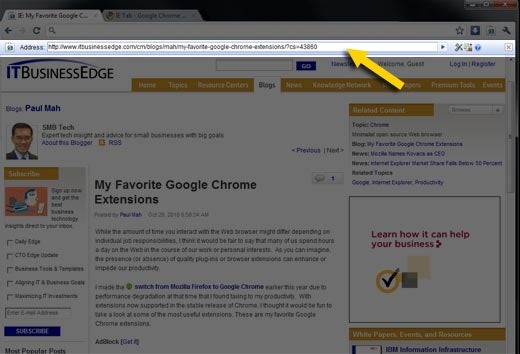
If you're like Paul, you deleted your Internet Explorer shortcut a long time ago. For the sites that simply refuse to work on anything other than Internet Explorer, though, the IE Tab works its magic by launching Internet Explorer under a Google Chrome tab. To ease the experience, the developer took pains to maintain consistent behavior by ensuring that even Chrome hotkeys are properly remapped to the right functionality.
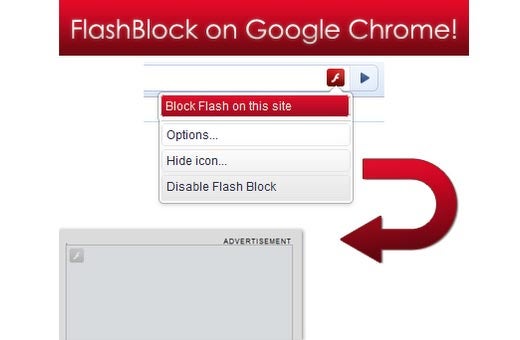
Some users are perfectly happy with the presence of ads (or even enjoy them), but are totally uncomfortable with the network load time and processing requirements for running Flash applets, especially Flash-based ads. FlashBlock, as its name implies, allows you to block them. The good thing about FlashBlock is that it leaves the outline of the original Flash applet intact, where the user can opt to subsequently load by clicking on it. And yes, FlashBlock can be configured to block Microsoft SilverLight, too.