

Study Finds Network Admins Juggling Multiple Initiatives

With increased usage of Apple Macintosh systems across the enterprise, usage of desktop virtualization technologies to run Windows on those devices has certainly increased. Mostly, it’s been individual users that have opted to deploy desktop virtualizations on those Macintoshes with or without the help of the IT department.
With the release today of VMware Fusion 7, VMware is trying to make it easier for the internal IT organization to view desktop virtualization from VMware from a management perspective to be a more natural extension of VMware environments running on a server.
The latest versions of VMware Fusion and VMware Fusion Pro added compatibility with the OS X Yosemite update to the Macintosh operating system running all versions of Windows, including Windows 8.1, on the latest generation of Intel Xeon processors. In addition, VMware has added the ability to create virtual machines with up to 16 vCPUs that can access 8 TB virtual disks and up to 64 GB of memory. Graphics-intensive applications can now be given an additional boost by allocating up to 2 GB of video memory per virtual machine.
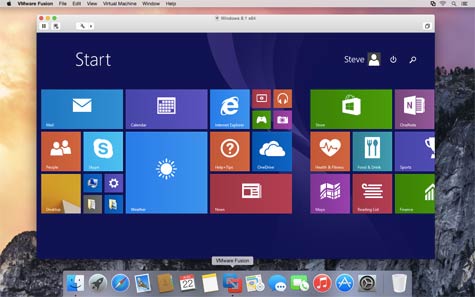
Nicholas Rochard, director of marketing for end user computing at VMware, says VMware Fusion Pro is specifically aimed at IT organizations that need to support Windows applications running on a Macintosh system. The latest release of VMware Fusion Pro includes the ability to connect to VMware vSphere management platform and VMware Workstation to access data residing on another machine. For users of MacBook Pro notebook, VMware Fusion 7 lets users choose between invoking a separate graphics processing unit (GPU) or relying on the integrated GPU functionality available on Intel processors.
With the line between desktop and servers getting blurrier thanks to the rise of virtualization, IT organizations are managing virtual desktops on both the client and the server. There are obviously different use cases for each of those scenarios. The one thing that VMware is betting on is that rather than bouncing from one management console to another, IT organizations will prefer to manage all those virtual desktops under a common management framework.