
SHARE
Facebook X Pinterest WhatsApp

Seven Improved Security Features in Windows 7

While no operating system is perfect, Microsoft appears to have made significant security improvements with the release of Windows 7. This slideshow complements a post in Sue Marquette Poremba’s blog about the seven features she thinks will have the most impact on security in the newest version of Windows. Special Offer: Download a Free Windows […]

Written By
thumbnail
ITBE Staff
ITBE Staff
Mar 2, 2010

While no operating system is perfect, Microsoft appears to have made significant security improvements with the release of Windows 7. This slideshow complements a post in Sue Marquette Poremba’s blog about the seven features she thinks will have the most impact on security in the newest version of Windows.

Special Offer: Download a Free Windows 7 Migration Report

Seven Improved Security Features in Windows 7 - slide 1

Click through to see seven new and enhanced security features that will make a real difference in the new Microsoft OS.
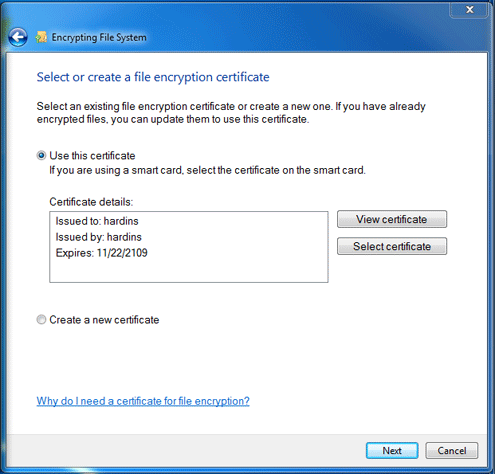
Seven Improved Security Features in Windows 7 - slide 2

BitLocker to Go in Windows 7 includes data encryption to portable USB devices, like thumb drives. The encrypted information can be changed only on a Windows 7 machine by using a password. It can be read but not manipulated on Windows XP or Vista.
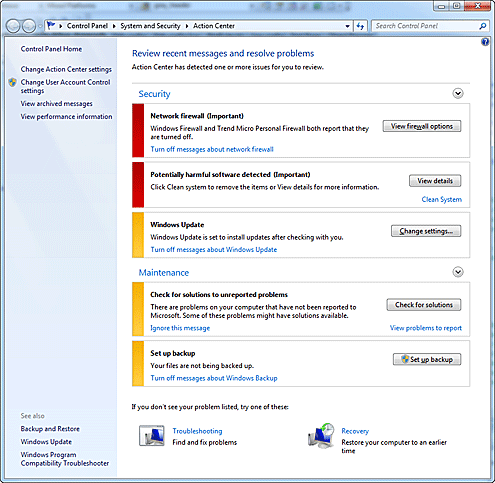
Seven Improved Security Features in Windows 7 - slide 3

The Security Center that was on Vista has been absorbed into the Action Center. Users are notified of changes in the system on the taskbar.
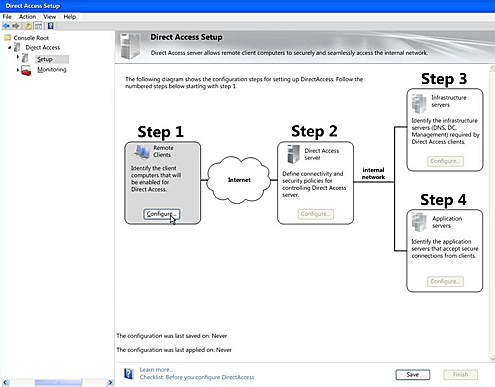
Seven Improved Security Features in Windows 7 - slide 4

DirectAccess allows remote users to secure their networks over the Internet without a VPN, creating an atmosphere that is as safe and secure from a laptop in a hotel room as it would be from the office desktop.
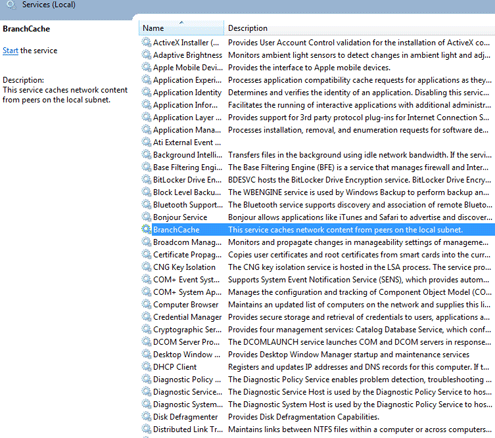
Seven Improved Security Features in Windows 7 - slide 5

BranchCache creates a cache of a document or application locally. If someone else needs that information, it is downloaded from the cache rather than the network.
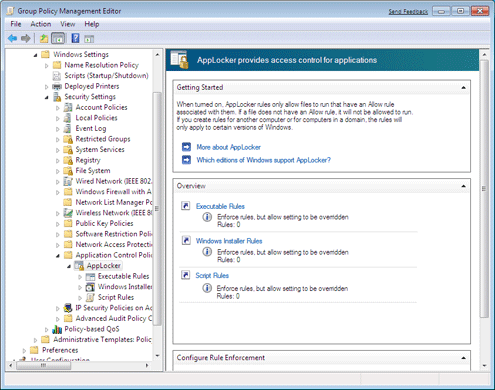
Seven Improved Security Features in Windows 7 - slide 6

Administrators control who can download software onto work computers and what applications can be accessed, lessening the threat of someone downloading malware.
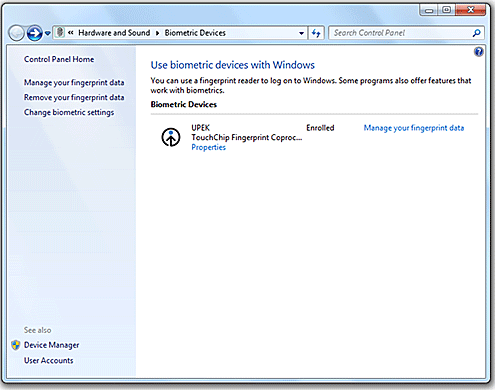
Seven Improved Security Features in Windows 7 - slide 7

New to Windows 7 is Windows Biometric Framework, which provides support for fingerprint detection applications. Windows has had the capabilities for biometrics in the past, but required third-party software to use it. Now it is part of the OS.
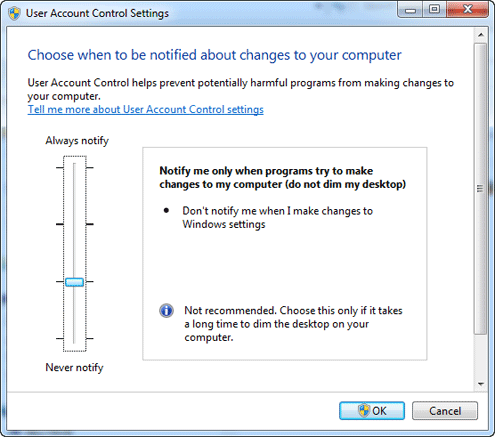
Seven Improved Security Features in Windows 7 - slide 8

User Account Control (UAC) was one of the most maligned aspects of Vista, as it repeatedly asked user permission for administrative applications. Windows 7 gives the user more options on how and when it provides notifications.

Recommended for you...

How DeFi is Reshaping the Future of Finance
Kihara Kimachia
Aug 25, 2022
Top Secure Access Service Edge (SASE) Solutions
Aminu Abdullahi
Aug 22, 2022
Best Data Loss Prevention (DLP) Tools
Aminu Abdullahi
Aug 19, 2022
Data Lake Governance & Security Issues
Chad Kime
Aug 18, 2022
IT Business Edge Logo

The go-to resource for IT professionals from all corners of the tech world looking for cutting edge technology solutions that solve their unique business challenges. We aim to help these professionals grow their knowledge base and authority in their field with the top news and trends in the technology space.

Property of TechnologyAdvice. © 2025 TechnologyAdvice. All Rights Reserved

Advertiser Disclosure: Some of the products that appear on this site are from companies from which TechnologyAdvice receives compensation. This compensation may impact how and where products appear on this site including, for example, the order in which they appear. TechnologyAdvice does not include all companies or all types of products available in the marketplace.