


Check Point Software Technologies Ltd. (NASDAQ: CHKP) recently announced the findings of a ZoneAlarm survey, which revealed that 79 percent of consumers use risky password construction practices, such as including personal information and words. The survey also revealed that 26 percent of respondents reuse the same password for important accounts such as e-mail, banking or shopping and social networking sites. In addition, nearly 8 percent admit to copying an entire password found online in a listing of "good" passwords. Given these numbers, it’s no wonder that 29 percent of respondents had their own e-mail or social network account hacked, and that over half (52 percent) know someone who has had a similar problem.
The first step a hacker will take when attempting to break into a computer or secure account is try to guess the victim's password. Automated programs are also available to repeatedly guess passwords from a database of common words and other information. Once a hacker gains access to one account, almost 30 percent of the time that information can be used to access other sites that contain financial data such as bank account numbers and credit card information.
"Consumers need to be aware of the importance of passwords and the fact that hackers are getting more and more sophisticated in cracking them," said Bari Abdul, vice president of consumer sales at Check Point. "By creating a unique password for each important account, consumers create the first line of defense against online thieves who can't wait to gain access to critical data for financial gain."
To ensure consumers stay safe online, here are a few tips for creating a strong password.
Click through for eight tips on creating a strong password from Check Point Software Technologies Ltd.
Choose a password that is at least eight to 10 characters long. This should be long enough to prevent brute force attacks, which consist of trying every possible combination of a password until the right one is found.
Make sure your password is difficult for someone to guess. Do not use names of any kind, including your login name, family member's name or a pet's name. Also avoid using personal information such as a phone number, birthday or place of birth.
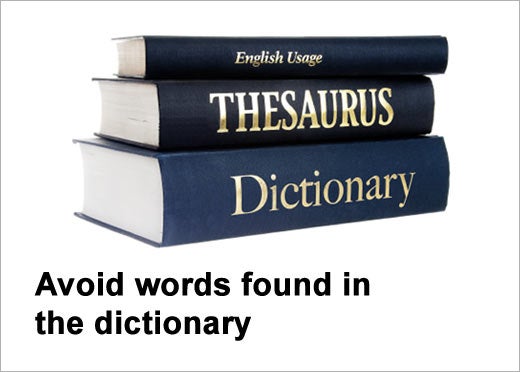
Avoid words that can be found in the dictionary. With the availability of online dictionaries, it is easy for someone to write a program to test all of the words until they find the right one.
Stay away from repeated characters or easy to guess sequences. For example: 77777, 12345, or abcde.
Choose a password that is a mixture of numbers, letters and special characters. The more complex and random it is, the harder it will be for a malicious person to crack.
Use fragments of words that will not be found in a dictionary. Break the word in half and put a special character in the middle.
Choose different and unique passwords for each account.
Change your passwords often. Even if someone cracks the system password file, the password they obtain is not likely to last long.