


When systems engineers build or repair computer software or hardware, they need consistent processes in place to keep it running smoothly. Configuration management is the name for this set of processes, ensuring that machines and applications perform steadily over their lifespan. Thankfully, configuration management doesn’t all have to be done by hand. Configuration management tools and software can automate some of the manual tasks to streamline procedures and improve operational efficiency.
What is Configuration Management and Why is It Important?
Configuration management is the set of processes that systems engineers use to create consistency when they’re building or repairing hardware and software. It tracks changes and helps keep systems more stable over their lifetimes, even when the systems are complex or granular. Configuration management may track metadata, including:
- CPU and RAM allocations
- Passwords
- Encryption keys
- Endpoints with external connections
Configuration management creates a single source of truth for this information, improving organization and minimizing downtime.
What is a Configuration Management Tool?
A configuration management tool is a type of software that manages and tracks the changes that happen during configuration management. It can also automate some of the change and deployment procedures, carrying them out faster and with less potential for human error. Configuration management tools track resource usage, prevent duplicate work, and identify where problems are coming from within the system.
Get your free copy of the Configuration Management Software Buyer’s Guide.
Benefits of Software Configuration Management Tools
Software configuration management tools lower the likelihood of human error, make systems more scalable, and reduce the volatility of software systems.
Fewer Human Errors
Because configuration management tools can automate tasks during systems engineering, they lower the likelihood that human error will occur. It also tracks changes in the software, meaning it’s easy for organizations to roll back to an earlier version if someone does make a mistake or the system malfunctions.
Also read: Top Automation Software: Managing Your IT Processes
Improved System Scalability
Employers are struggling to fill their technology roles, meaning they can’t rely on more personnel in order to scale their systems. Instead, configuration management tools can improve an organization’s operational efficiency, allowing it to create more scalable systems without enlarging its staff. Configuration management also prevents unnecessary duplication, so tasks can get done faster.
More Stable Software & Hardware
Configuration management provides a defined set of processes, meaning developers and IT staff should be handling the same tasks in the same way each time they perform them. It can also help teams identify and solve problems faster due to the detailed audit trails. Stable software and hardware results in less downtime and fewer unplanned resource expenditures.
Top Configuration Management Tools
The best configuration management tools should make it easy to track software changes and enforce organizational policies. Businesses looking for configuration management tools should consider the following platforms, chosen for their high user ratings and the features they offer.
Ansible
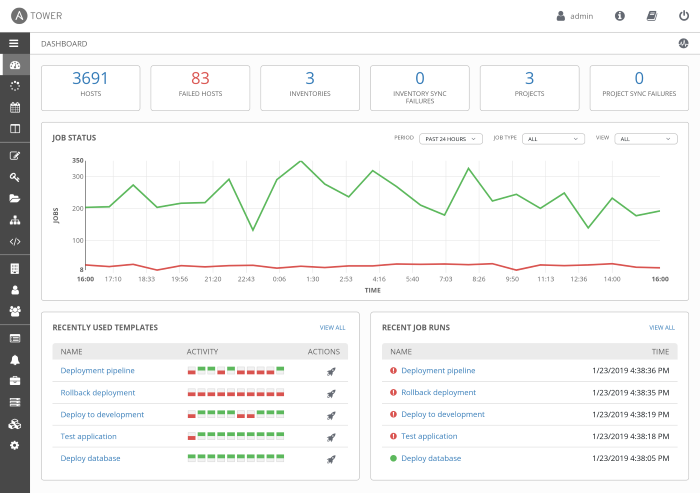
Ansible by Red Hat is an automation platform that provides businesses with the framework they need to automate critical processes. IT managers can set rules for how different teams apply automation, preventing processes that will interfere with current procedures. Ansible can automate tasks for infrastructure, applications, networks, cloud, security, and containers.
Admins can standardize how users deploy, initiate, and audit automation in the network to keep their systems stable. There are two pricing tiers available, but actual pricing information is not available on the website.
Key Features
- 24/7 support available
- Comprehensive dashboards
- Real-time updates
- Scheduled automation
- Role-based access control
- Audit trails
Pros
- Easy to set up and use
- Helpful and responsive support team
- Requires less memory and storage than similar products
Cons
- Requires deep knowledge of infrastructure
- May not check all dependencies
Also read: Ansible vs. Terraform: DevOps Tool Comparison
Rudder
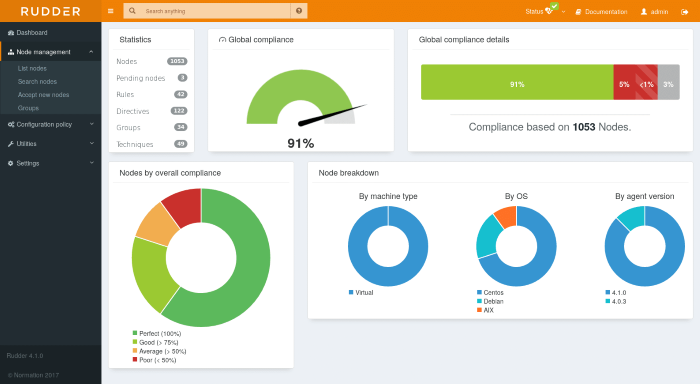
Rudder is an IT infrastructure automation platform that provides a centralized management console for all of an organization’s systems. The lightweight agent connects directly to the central server, ensuring application security and reliability. Organizations can use Rudder to manage a variety of devices and network types, including laptops, cloud environments, and industrial physical servers.
There are three pricing tiers available that charge on a per-node, per year basis. Users will have to upgrade from the basic tier to get support service level agreements (SLAs) and longer maintenance periods.
Key Features
- Shareable dashboards
- Multiplatform agents
- API integrations
- User-friendly configuration builder
- Drift management
- Custom security policies
Pros
- Clear pricing structure available on the website
- Simplifies communication between technical and non-technical employees
- Clear and intuitive interface
Cons
- Users cannot control the execution order of tasks
- Small user community
Salt Project
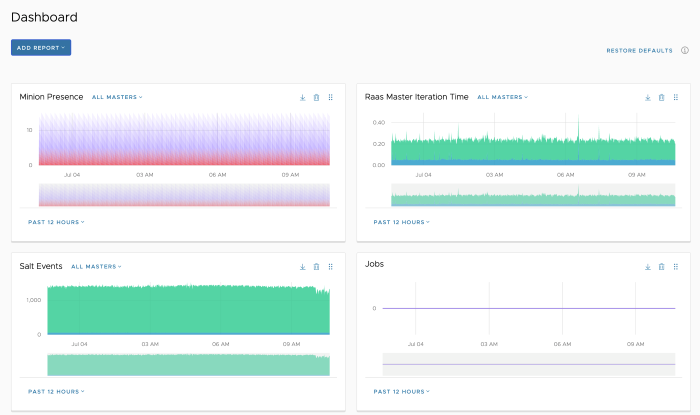
The Salt Project, formerly SaltStack, is an open-source infrastructure management tool that enables configuration management, remote execution of hardware, or automation. It’s based on the Python framework, and users can easily add custom modules for more features. Additionally, it executes processes in a consistent manner to keep hardware and software stable.
The platform is free to download thanks to its open-source nature, although that may mean that businesses will not have access to live support. There is, however, a robust knowledge base available, featuring tutorials and documentation.
Key Features
- Web-based user interface
- Role-based access control
- CIS and DISA STIGS compliance
- Enterprise API
- Customizable reporting
- LDAP, SAML, OIDC, & Active Directory integration
Pros
- Easy to design infrastructure and deployment architecture
- Documentation is well-written
- Frequent updates
Cons
- Immature compared to similar tools
- May not integrate as well with complex systems
Puppet
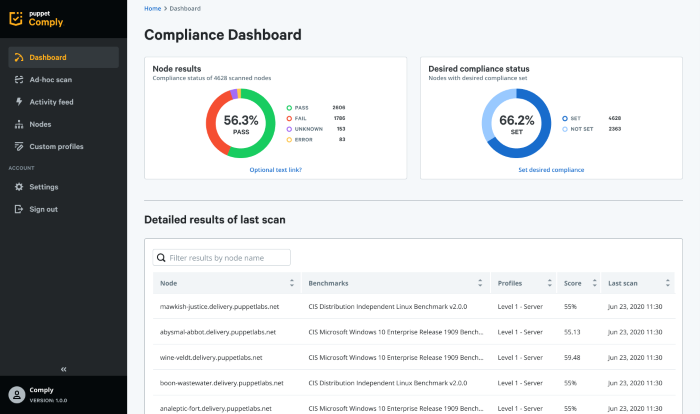
Puppet is IT automation software for infrastructure management and improved workflows. It includes both model-based and task-based automation capabilities to help organizations easily scale their infrastructure. Users can automate tasks on the operating system layer all the way out to the application layer.
Puppet helps eliminate silos and deploy changes faster and with fewer inconsistencies. There are several options available for Puppet, but interested parties will have to contact the company for pricing information. Support packages also seem to come at an additional cost.
Key Features
- Single sign-on (SSO) and multi-factor authentication (MFA)
- Customizable reporting
- System health checks
- Multiple options for cloud integrations, including AWS, Azure, and Google Cloud Platform
- Compliance tools
- Self-service automation
Pros
- Offers a high level of flexibility and functionality
- Supports multiple operating systems
- Easy to use and implement on cloud infrastructure
Cons
- The learning curve can be steep
- The ecosystem is fairly complicated
CFEngine
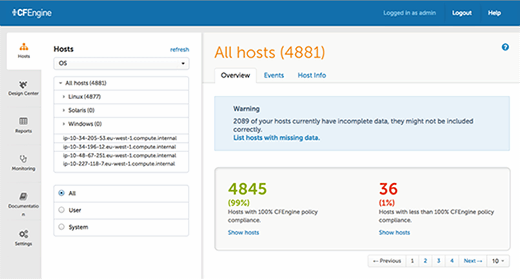
CFEngine provides automation and visibility into an organization’s infrastructure, helping them improve their security and meet compliance requirements. With standardized patching and update procedures, businesses can quickly roll out changes to their infrastructure to keep it running smoothly.
CFEngine gives businesses a single source of truth for their networks, allowing them access to critical information quickly. Users can also customize their reports for better insights. There is a free version for open-source projects, but enterprises will have to pay for a business license. Pricing information is not available on the website.
Key Features
- Pre-built and customizable reports
- Performance monitoring
- Real-time updates
- Compliance tools
- Customizable and shareable dashboards
- Dedicated support available
Pros
- Easy to scale and has fast execution times
- Helpful user community
- Isn’t very resource-intensive
Cons
- The learning curve can be fairly steep
- Customizing the configuration is difficult for some users
Chef Infra
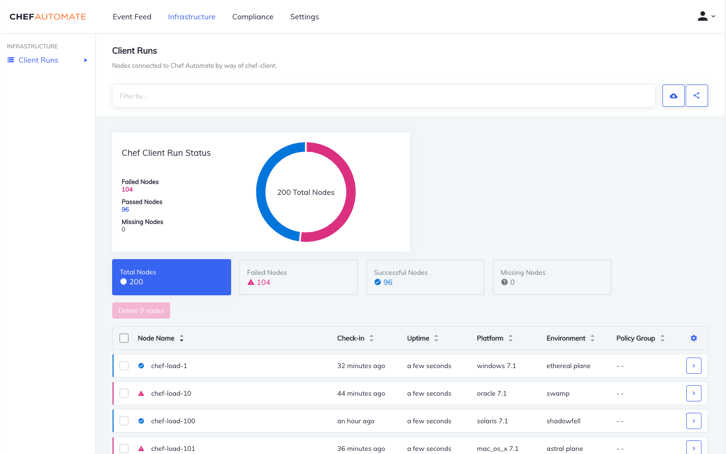
Chef Infra is configuration management software that allows organizations to manage all their disparate systems at the same time. It prevents configuration drift, automatically returning a system to its desired state if it diverges. Users can define their configurations once and then deploy them across a variety of systems, including Linux, Mac, or Windows. Plus, DevOps teams can define repeatable and reusable processes for these different types of systems. Pricing isn’t available on the Chef website, but interested organizations can also purchase Chef from the AWS or Azure store if they want to use it with their cloud environments.
Key Features
- Scheduled updates
- Resource management
- Data aggregation and validation
- Secrets management
- Full stack visibility
- Agile development practices
Pros
- Easy to use and scale
- Users can manage large environments with continuous monitoring
- Good technical documentation
Cons
- Lengthy setup process
- Steep learning curve
Auvik
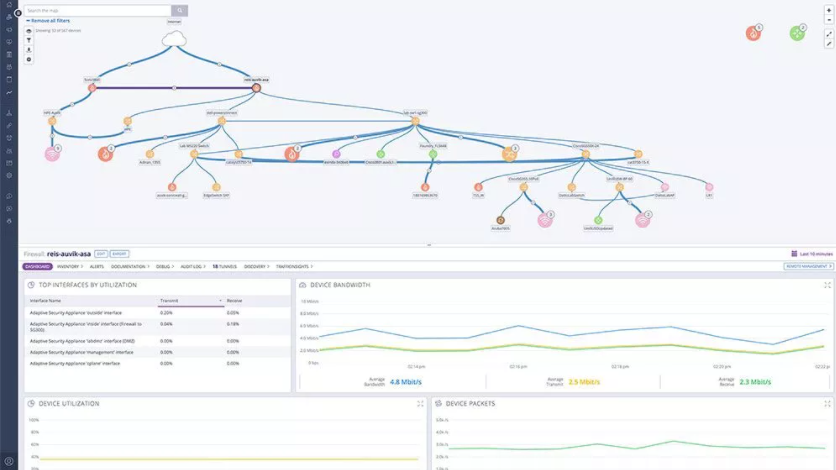
Auvik is cloud-based network management software that offers configuration management and IT asset management. Automated discovery tools identify the devices connected to an organization’s network and track changes to keep the business secure.
Auvik provides automated security and performance updates and encrypts data with AES-256 bit encryption. It scans the network for configuration changes every hour, backing up new changes and logging old versions. There are two product tiers that businesses can choose from, but pricing information is not available on the website.
Key Features
- Real-time updates
- Version control
- Backup and recovery automation
- Network traffic analysis
- Remote access
- Audit logs
Pros
- Easy remote deployment
- Helpful and responsive customer support
- Intuitive user interface
Cons
- Can require a large amount of management labor
- Some users complain about incorrect alerts
Juju
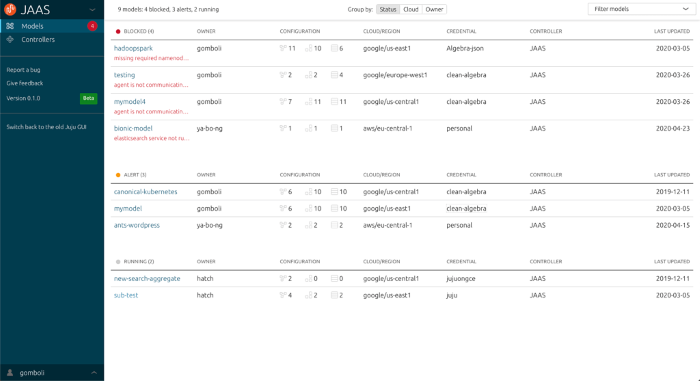
Juju is an open-source application modeling tool with support for both Go and Python coding languages. It supports application development for Windows and Linux as well as public and private clouds on AWS, Azure, Google, Oracle, OpenStack, or VMware. Developers get a detailed application graph model which tells them how applications should integrate with each other, simplifying large deployments.
Due to its open-source nature, Juju is free to download and use, but users may not be able to get live support. However, there is a software-as-a-service (SaaS) option available for a fee.
Key Features
- Pre-built modules
- Kubernetes cluster deployments
- Command line and graphical user interface (GUI)
- Public or private cloud deployment
- 24/7 monitoring and alerting
- Script bundling
Pros
- Not very resource-intensive
- Customer-centric development
- Easy integrations
Cons
- Installation can be complex
- Some users complain about inconsistent commands in the command line
Is Configuration Management Software Right for Your Business?
Configuration management software is key for businesses that build a lot of their own applications or have a complex technology infrastructure. For these organizations, they’ll need a way to manage all of their systems from a single console and ensure they can track changes and restore previous versions.
Open-source software is great for companies who don’t need live support, but they should make sure the user community is active before downloading the software. Otherwise, organizations should consider tools that come with dedicated support.
Read next: The Impact of Container Architecture on IT Development